

The AI coding landscape just split in two — and your choice of tool now defines your entire development workflow.
Not long ago, the debate was about whether to use AI-assisted coding at all. That debate is over. In 2026, the question every serious developer is asking is: Which kind of AI relationship do I want? Do I want an AI that lives inside my editor, completing my thoughts as I type? Or do I want an AI that I hand a task to and come back to find it done?
That’s the real fork in the road between Claude Code and Cursor. Both are exceptional tools. Both received significant updates through early 2026. But they are built on fundamentally different philosophies about how AI and developers should interact, and choosing the wrong one for your workflow doesn’t just cost money, it costs momentum.
This guide cuts through the marketing noise. We’ll look at what each tool actually is in 2026, what’s changed recently, how they stack up across six critical dimensions, what you’ll really pay, and who should use what. By the end, you’ll have a clear answer, not “it depends,” but a specific recommendation for your situation.
Claude Code: The Autonomous Terminal Agent
Claude Code is Anthropic’s dedicated coding agent that autonomously executes multi-step tasks with a deep understanding of the codebase. As of March 2026, it has evolved from a simple AI programming assistant in the terminal into a full-fledged autonomous coding agent platform, one that ships 17 releases in a single month and operates more like an “AI operating system for code” than a simple autocomplete tool.
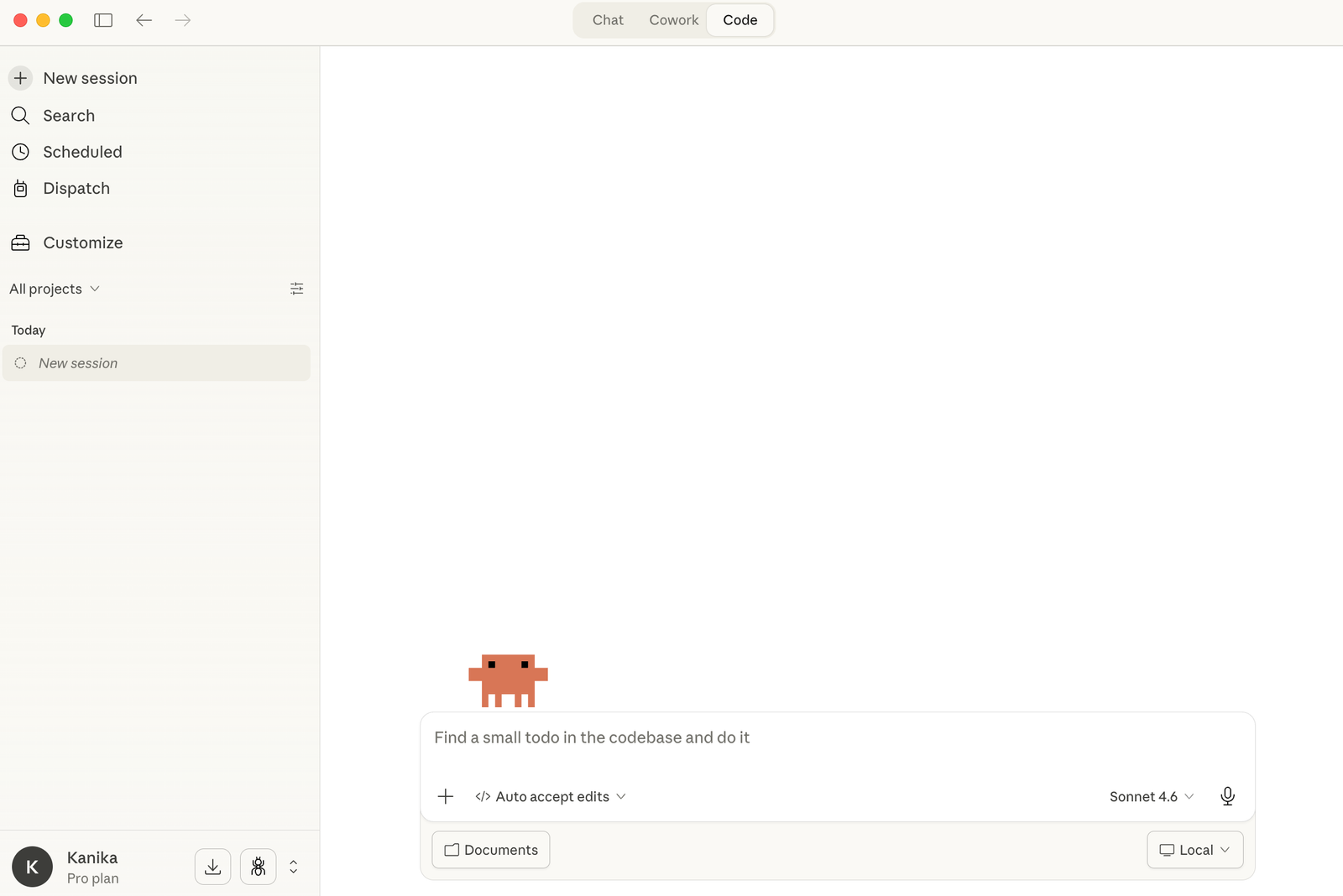
At its core, Claude Code lives in the terminal. It integrates with VS Code, JetBrains, and the web, but its home is the command line. You describe an objective, “refactor the authentication module to use JWT tokens, add comprehensive tests, and update the documentation”, and Claude Code drives. You review.
This is a meaningfully different mental model. Claude Code doesn’t augment your typing. It increases your leverage.
You’re not moving faster line by line; you’re operating at a higher altitude, describing intent and reviewing outcomes. The gap between “I need this done” and “this is done” collapses from hours to minutes, not because you typed faster, but because you stopped typing the implementation altogether.
Cursor: The AI-Native IDE
Cursor is a full IDE built on a VS Code fork, with AI integrated architecturally, not bolted on. Unlike GitHub Copilot, which adds AI to VS Code as an extension, Cursor rebuilt the editor around AI. Every feature is designed for AI-assisted development from the ground up.
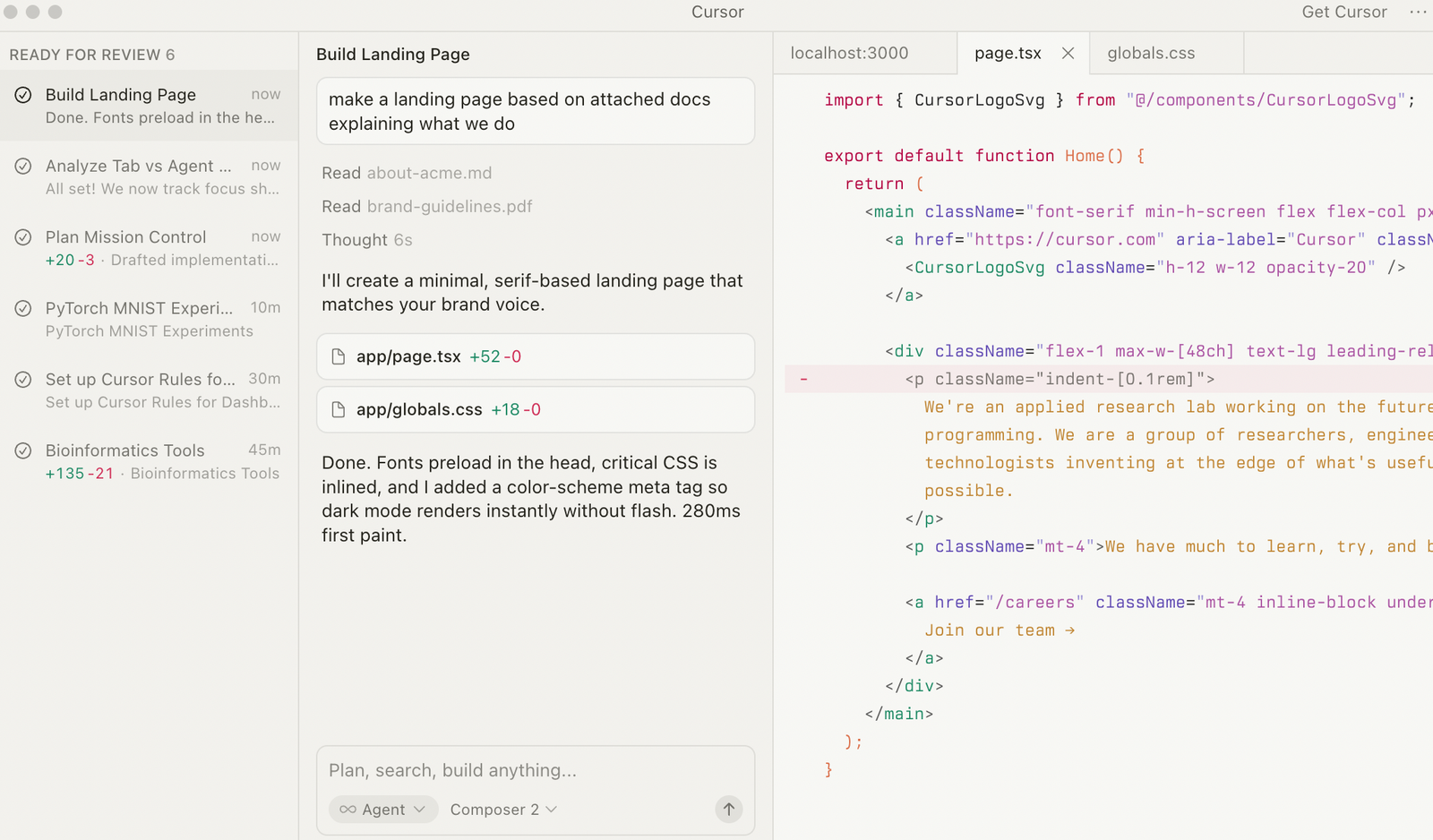
What distinguishes Cursor from everything else in 2026 is its combination of breadth and polish. It supports parallel Background Agents running cloud VMs, Composer 1.5 for multi-file editing with 60% lower latency, multi-model access spanning GPT-5, Claude Opus 4.6, Gemini 3 Pro, and more, with model-switching per task and superior codebase context through full-repository RAG embeddings.
It also crossed $1 billion in annualized revenue and one million paying developers, making it the most commercially validated AI coding tool available.
The core philosophy: you drive, the AI augments your speed and editing efficiency. Cursor amplifies developer control. Claude Code increases developer leverage. These are not equivalent benefits, and understanding the difference is everything.
2026 Feature Deep-Dive: What’s New and What Actually Matters
Both tools shipped aggressive updates in early 2026. Here’s what actually changed, and why it matters beyond the release notes.
Claude Code’s Major 2026 Additions
Opus 4.6 as the default model. Claude Code 2.1.7, released on March 17, 2026, switched from Sonnet 4.5 to Opus 4.6 as the default model.
The practical difference is immediate; context capacity, reasoning depth, and multi-step task completion all improve substantially. The 1M token context window became generally available on Max, Team, and Enterprise plans with no extra configuration required.
The /loop command. This is the most underrated feature Claude Code has shipped. /loop 5m check the deploy becomes a lightweight cron job that runs in your current session — every five minutes, Claude Code re-checks your deployment status without you having to think about it.
Extend this to PR reviews, monitoring tasks, test runs — you now have a programmable background worker that speaks natural language. For solo developers juggling deployment and feature work simultaneously, this changes the daily rhythm entirely.
Agent Teams (experimental). Agent Teams let you orchestrate multiple Claude Code instances working together on a shared project. One session acts as the team leads, coordinating work and assigning tasks.
Teammates work independently in their own context windows and can communicate directly with each other, not just report back to the lead. The key distinction from subagents is real-time inter-agent communication: teammates can message each other, claim tasks from a shared task list, and challenge each other’s findings without routing everything through the orchestrator.
For a complex refactor that touches the API layer, database migrations, test coverage, and documentation, you can spawn four teammates and have them work in parallel. It’s experimental and disabled by default, but it’s production-usable for the right tasks.
Voice Mode. Type /voice and Claude Code begins accepting speech through push-to-talk — hold the spacebar, speak, release. Twenty languages work out of the box. The push-to-talk design is intentional: it eliminates false activations, which was the single biggest usability problem with earlier voice-enabled dev tools.
For developers who think faster than they type, or who want to describe complex intent without writing a prompt, this is a genuine workflow shift.
Computer Use and Remote Control. Released as a research preview, Remote Control lets you continue a Claude Code session from your phone after closing your laptop.
You can send instructions via the Claude app, and Claude Code executes on your Mac. Your code never leaves your local machine; only chat messages are transmitted through an encrypted channel. Combined with Computer Use (Claude physically controlling your desktop to run apps, navigate UIs, and interact with tools), this makes Claude Code viable for workflows that go far beyond just editing source files.
MCP Native Integration and Plugin Ecosystem. MCP (Model Context Protocol) is now native to Claude Code. Google Drive, Jira, GitHub, and any custom tool are accessible directly from a session, no copy-pasting context from other tabs. Plugins bundle MCP servers, Skills, and tools into one-click installable components, and Anthropic has launched a community plugin marketplace.
MCP Elicitation, added in v2.1.76, lets MCP servers request structured input mid-execution through an interactive dialog, transforming MCP from fire-and-forget into a conversational protocol.
AutoMemory and CLAUDE.md refinements. Claude Code now automatically learns each developer’s habits and patterns, storing them in memory files with last-modified timestamps for freshness reasoning.
Combined with the CLAUDE.md project configuration, which consistently enforces your coding conventions and architectural decisions, this makes the tool increasingly personalized over time.
/effort command. With Opus 4.6 using “medium” effort by default (for speed), you can now type /effort high or use ultrathink In your prompt to trigger deeper analysis on demanding tasks. This is the equivalent of telling a developer to slow down and think carefully rather than just shipping fast.
Cursor’s Major 2026 Additions
Composer 1.5. The biggest engineering upgrade Cursor has shipped. Version 1.5 of the Composer model brings 20x scaled reinforcement learning, self-summarization for long contexts, and a 60% reduction in latency.
Multi-file editing, already Cursor’s flagship capability, becomes meaningfully more reliable and noticeably faster. This addresses one of the most consistent complaints in user feedback.
Background Agents (GA). After a limited preview in late 2025, Background Agents graduated to general availability.
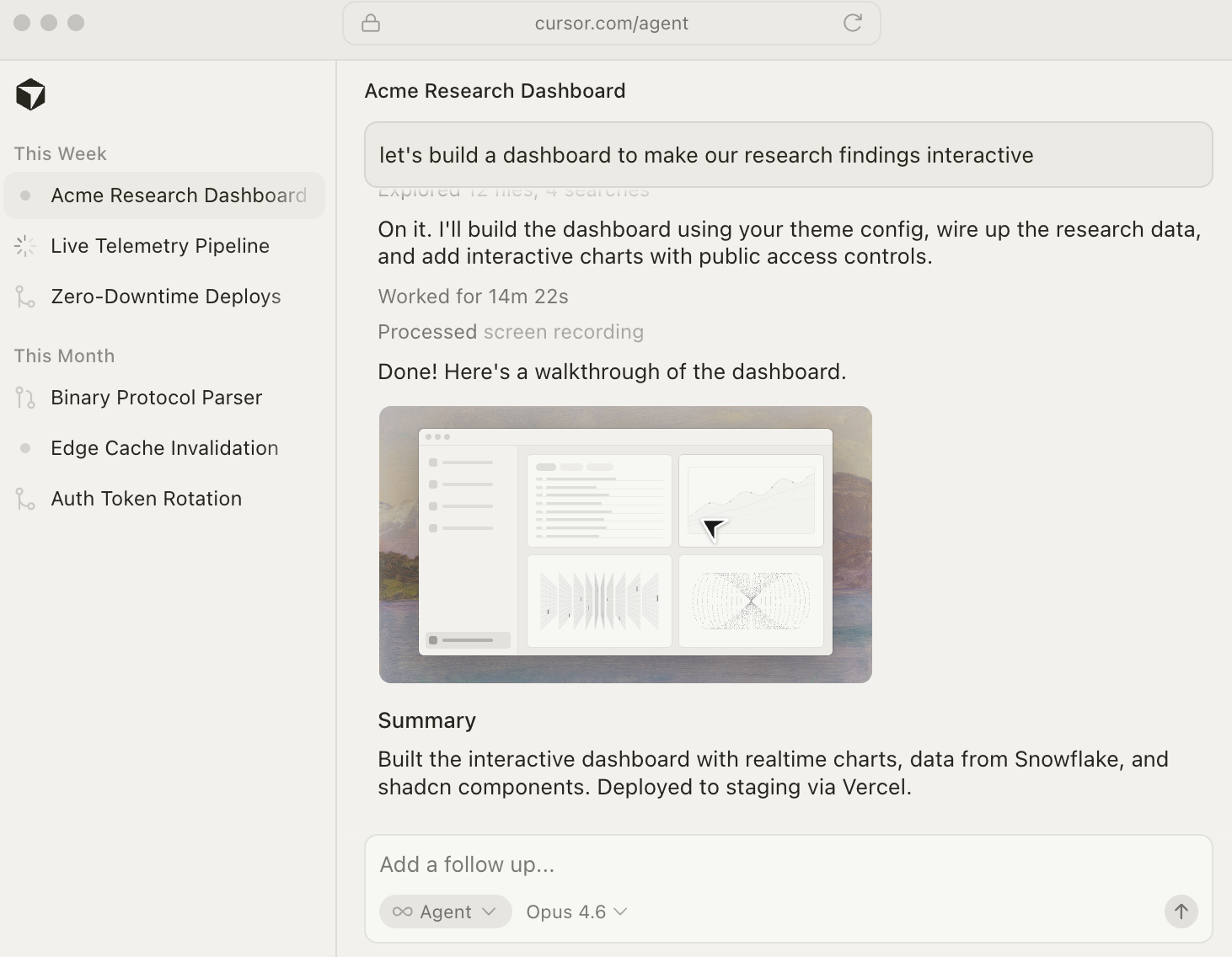
These are cloud-based Ubuntu VMs that clone your repository, check out a branch, complete the assigned work, and open a pull request, all asynchronously, without touching your local machine. You can trigger them from the IDE, from Slack, or from a web or mobile app.
This is genuinely innovative: the ability to offload coding tasks to cloud infrastructure and review the results like a PR review is something no competitor currently matches at this level of polish.
BugBot. Cursor’s automated code review tool scans every pull request on GitHub for bugs, security flaws, and code quality issues. It works like a senior developer doing a first-pass review, catching issues before they reach human reviewers, linking to the relevant code, and integrating with project management tools like Linear.
In internal testing, BugBot prevented hundreds of issues from reaching production across thousands of PRs. The caveat: BugBot is a separate subscription at $40/user/month on top of your Cursor plan, which substantially changes the cost calculation for teams.
Agentic Security Review. Built on top of BugBot infrastructure, this dedicated automation is tuned to a specific threat model, not general code quality, and can block CI pipelines on security findings specifically. For teams with security requirements, this is a meaningful step beyond what most AI coding tools offer.
Model flexibility expansion. Cursor now supports GPT-5, Claude Opus 4.6, Gemini 3 Pro, and more, with model-switching per conversation. The multi-model approach means you’re never locked into one provider’s strengths and weaknesses, use Gemini for fast, lightweight tasks and Claude for complex reasoning, in the same session.
One-click MCP setup with OAuth. Cursor simplified the MCP server configuration significantly, reducing what used to be a multi-step manual process to a single click with OAuth authentication handling.
Enterprise governance maturity. Cursor added audit logs, SSO, RBAC, and centralized org-level billing controls. For engineering teams in regulated industries, this is what makes enterprise adoption feasible, and it’s more mature than what Claude Code currently offers in this domain.
One important caveat to flag honestly: in January 2026, Cursor faced a marketing credibility issue when developers discovered that Composer 1.5 demos partially relied on Kimi K2.5 from China’s Moonshot AI, something that wasn’t disclosed in the announcement. The technical community’s reaction was sharp. This doesn’t change the product’s capabilities, but it damaged trust, and trust matters when you’re evaluating a tool for daily use.
Claude Code vs Cursor: Code Quality and Accuracy
Both tools produce reviewable, production-quality code when the task is well-specified. Planning, decomposition, and prompt clarity dominate quality outcomes more than the underlying model — which means your prompting skill is a bigger variable than the tool choice itself.
That said, the patterns are clear: Claude Code leads in accuracy for complex tasks, compiled languages, and multi-file work requiring deep contextual consistency. Cursor leads on speed for simpler, well-bounded tasks and provides a significantly better visual editing experience through inline diffs and Composer.
Cursor’s 75–85% accuracy on tested production projects is strong for an IDE-first tool; Claude Code’s accuracy advantage emerges specifically at the complex end of the task spectrum, where reasoning depth matters more than raw completion speed.
Verdict: Claude Code for complex reasoning; Cursor for daily-velocity coding.
Claude Code vs Cursor: Context Window
This is the comparison’s most consequential dimension, and the one where marketing numbers diverge most sharply from reality.
Claude Code’s 1M token context window on Max, Team, and Enterprise plans is genuine. You can ingest an entire codebase of tens of thousands of lines and reason over it without losing track. On Pro, the standard 200K window still substantially outperforms the competition.
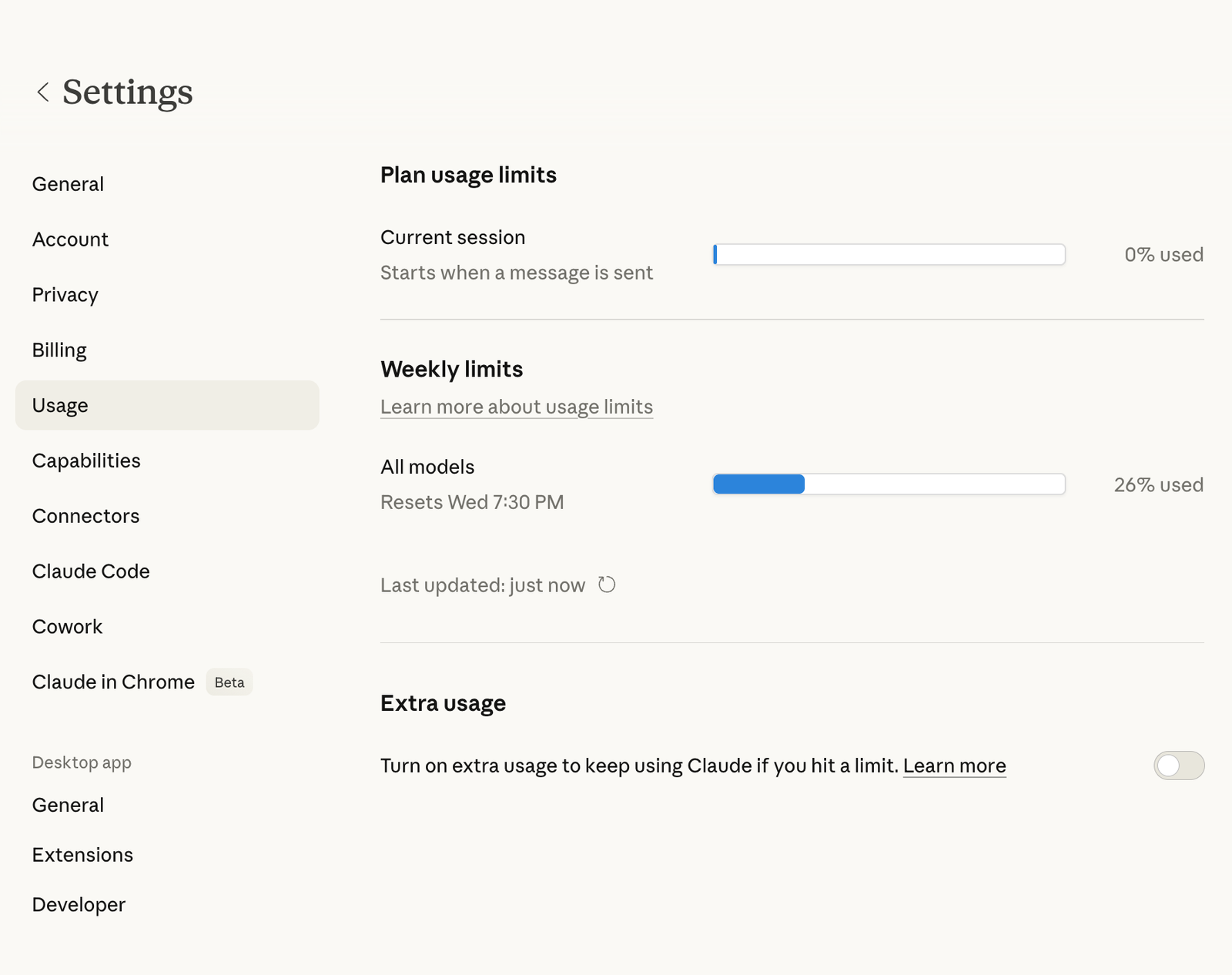
Cursor advertises a 200K token context window, but the practical reality is more constrained. Despite the advertised number, usable context in Cursor often falls to 70K–120K tokens in practice, likely due to internal truncation and performance safeguards applied silently during execution. Users working with large monorepos have reported context loss mid-session that doesn’t show up in any visible indicator.
For most day-to-day work, this difference is invisible — the codebase is small enough that context limits don’t matter. For large monorepos, enterprise codebases, or any work requiring full-repository awareness, this gap is material.
Verdict: Claude Code by a significant margin, especially at scale.
Claude Code vs Cursor: Agentic Autonomy
This is where the two tools’ philosophies diverge most clearly.
Claude Code is built for delegation. You describe an objective, grant permissions, and the agent plans, executes, and reports back. This works extremely well for tasks like “add error handling to all API endpoints,” “migrate the database layer from raw SQL to Prisma,” or “audit and fix all TypeScript strict-mode violations.” The Agent Teams feature extends this to parallel multi-agent execution on complex tasks. The /loop command turns it into a background monitoring system.
Cursor’s Background Agents offer cloud-based async execution, which is genuinely innovative. But the daily agentic experience in Cursor is still primarily about Composer mode, you initiate a multi-file change, review the diffs, and accept or reject. It’s augmented execution, not delegated execution.
Verdict: Claude Code for true delegation and automation; Cursor for accelerated developer-in-the-loop execution.
Claude Code vs Cursor: Speed and Editor Experience
This is Cursor’s clearest advantage, and it’s not close.
If you’re actively writing code, iterating on a function, exploring an API, or fixing a bug you can see in front of you, Cursor’s tab completions are best-in-class.
They’re fast, contextually relevant, and non-intrusive. Composer’s inline diff experience lets you see exactly what’s changing across multiple files before accepting anything. The VS Code familiarity means zero learning curve for the editor itself; muscle memory from years of VS Code use transfers completely.
Claude Code’s interaction model is slower by design. You’re working at the level of task description and outcome review, not keystroke by keystroke. This is the right trade-off for complex autonomous tasks, but if you’re in a flow state writing fresh code, Claude Code’s terminal interface doesn’t match Cursor’s feel.
Verdict: Cursor, clearly, for raw daily-use speed and in-editor experience.
Claude Code vs Cursor: Rule-Following and Consistency
This is a significant underreported differentiator that surfaces in daily use for any team with coding standards.
Claude Code’s CLAUDE.md project configuration is consistently respected. Conventions defined in CLAUDE.md — TypeScript strict mode, functional component patterns, naming conventions, and architectural rules are reliably followed across sessions. AutoMemory reinforces this over time as the tool learns your preferences. For teams with strong opinions about code style and architecture, this consistency is genuinely valuable.
Cursor’s .cursorrules The system has a documented reliability problem. Teams set up detailed rules files — “use TypeScript strict mode,” “prefer functional components,” “never use class-based components” — and report that Cursor acknowledges the rules and then proceeds to violate them regularly, particularly in Composer mode on large tasks. This isn’t universal, and it’s been improving, but it’s still a real pattern that gets raised repeatedly in developer communities.
Verdict: Claude Code for teams with non-negotiable conventions; Cursor is improving but inconsistent.
Claude Code vs Cursor: Multi-Model Flexibility
Cursor’s clearest architectural advantage. The ability to switch between GPT-5, Claude Opus 4.6, Gemini 3 Pro, and others within a single session means you can route tasks to the model best suited for them. Need raw speed on a boilerplate task? Auto mode picks an economical model. Need deep reasoning on a complex refactor? Claude Opus. Need to generate UI code quickly? Gemini.
Claude Code is Claude-only by design. But this isn’t purely a disadvantage: Anthropic built Claude Code specifically for agentic coding on their own models. The prompts, tool integrations, task decomposition patterns, and context management are optimized end-to-end for Claude. Cursor’s multi-model flexibility comes with a trade-off — it can’t specialize as deeply for any single model because it has to serve all of them.
Verdict: Cursor for flexibility; Claude Code for depth of model-specific optimization.
Pricing: What You’ll Actually Pay in 2026
The headline numbers are similar. The real costs diverge based on how you use each tool.
Claude Code Pricing
Claude Code is accessed through Anthropic’s Claude subscription plans:
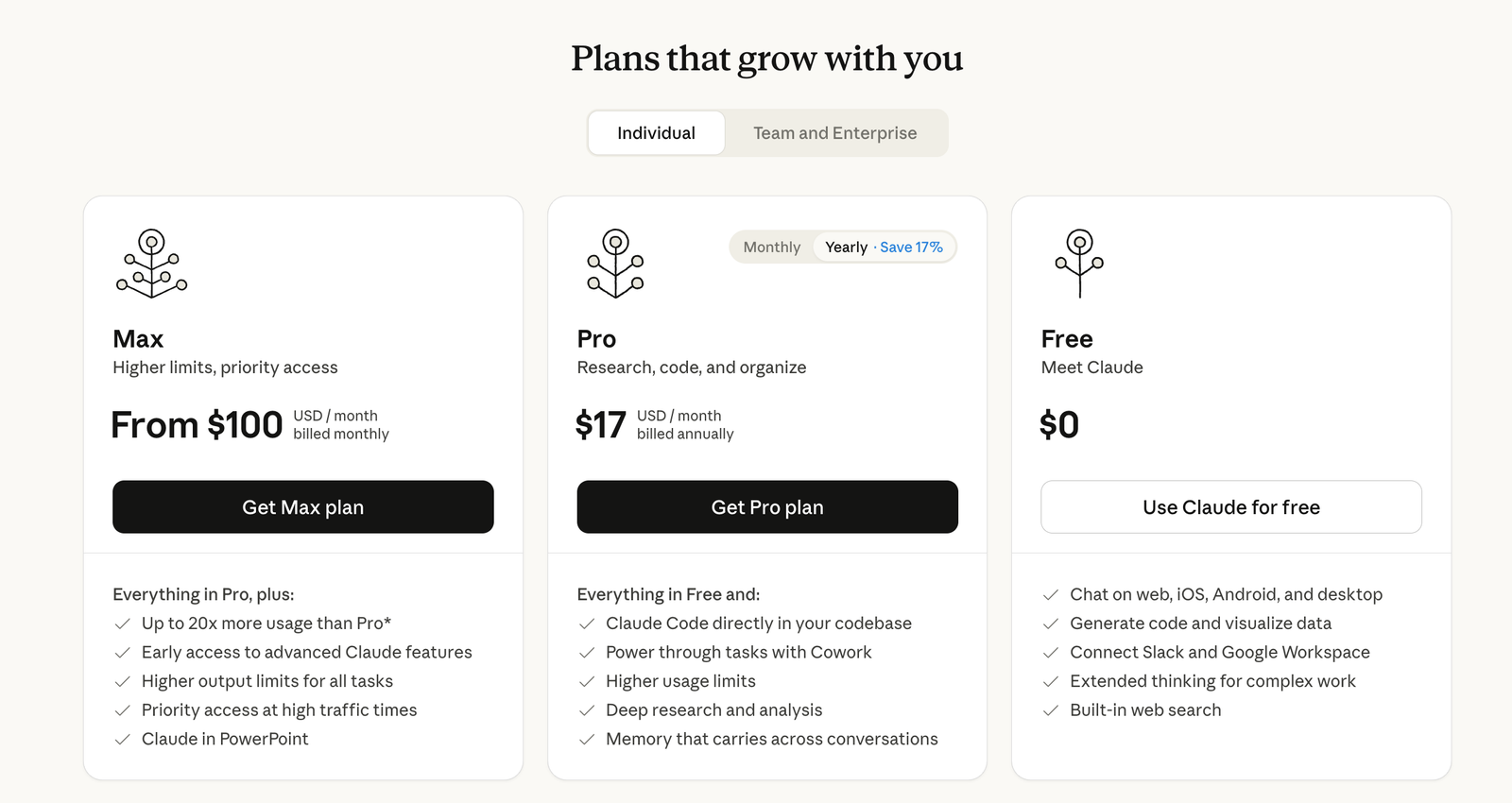
- Free tier: Included with Claude.ai free, with significant usage limits
- Claude Pro: $20/month includes Claude Code with standard limits and 200K context
- Claude Max: $100/month 1M token context window, higher usage limits, priority access
- Claude Team: Custom per-seat pricing. Claude Code included with every standard seat; 1M context available
- Claude Enterprise: Custom, maximum limits, enterprise governance, priority support
For API access, you pay per token on a usage basis with no subscription required.
The billing model is predictable. You pay the plan price; you get the features. There are no surprise credit depletion events, no “you used an expensive model today” notifications. For heavy agentic use, long sessions, large contexts, complex multi-step tasks — the Max plan at $100/month delivers consistent value without cost anxiety.
Cursor Pricing
Cursor’s pricing structure is more layered:
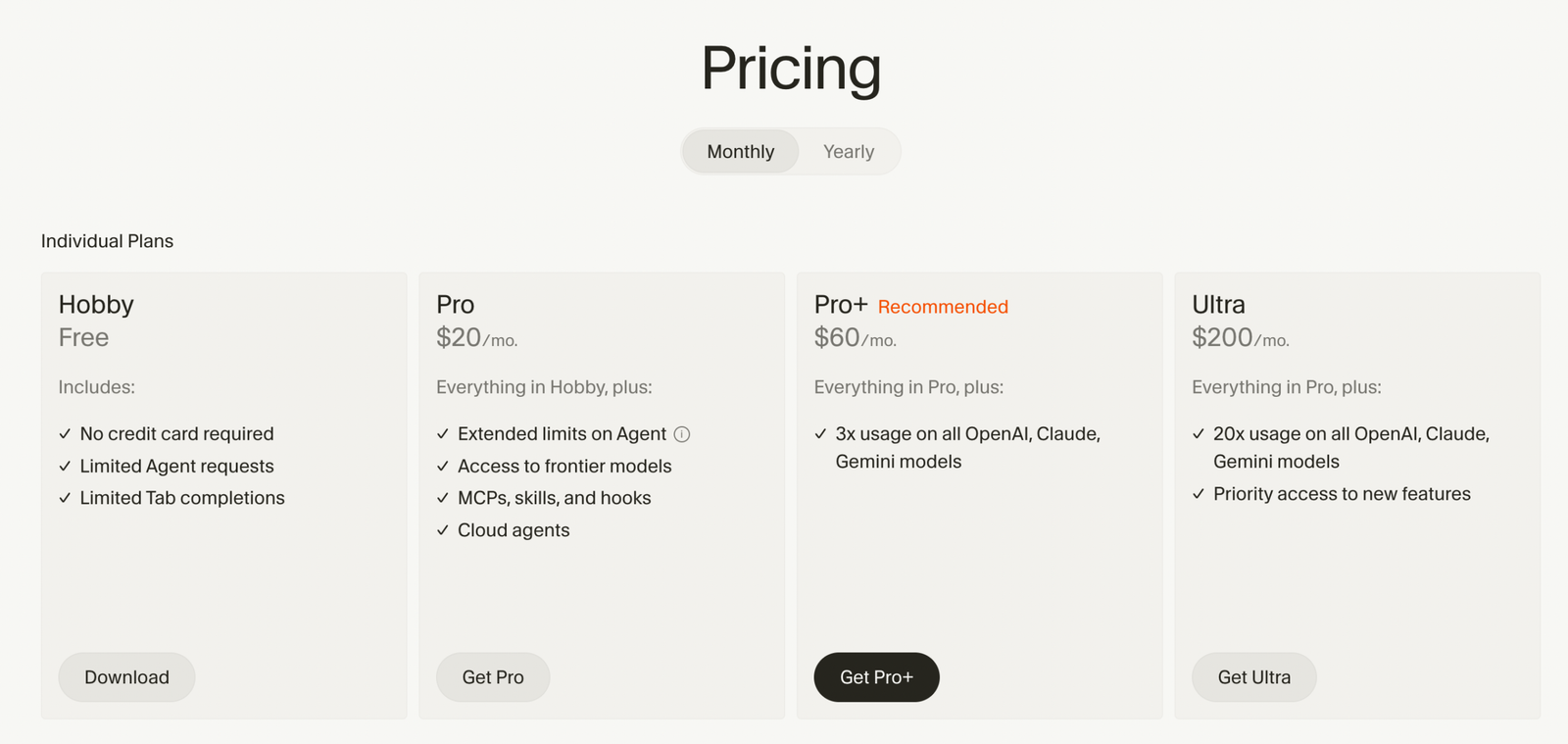
- Hobby: Free, limited Agent requests, limited Tab completions; useful for evaluation only
- Pro: $20/month ($16/month annual) unlimited Tab completions, unlimited Auto mode, $20/month credit pool for premium model usage, Background Agents, maximum context windows, access to all frontier models
- Pro+: $60/month, same as Pro but 3x the credit pool; for developers who frequently use premium models
- Ultra: $200/month, 20x credit multiplier, priority feature access; for full-time AI-native developers
- Teams: $40/user/month. Pro-equivalent access plus shared rules, centralized billing, admin controls, audit logs, SSO
- Enterprise: Custom pricing
The critical nuance is the credit system introduced in June 2025. Every paid plan includes a monthly credit pool equal to your subscription price. Auto mode (where the cursor selects the model automatically) doesn’t consume credits.
But when you manually select a premium model, Claude Opus, GPT-5, Gemini Pro, you draw from that pool. Heavy users can exhaust their $20 credit pool in less than a week. When the pool runs dry, you either pay API-rate overages or drop back to Auto mode.
BugBot is a separate subscription at $40/user/month on top of your Cursor plan. For teams that want both AI coding assistance and AI code review, the combined cost is $60–80/user/month, significantly higher than competitors that bundle these capabilities.
The practical guidance: if you stay in Auto mode and use Tab completions heavily, Pro at $20/month is effectively unlimited for most workflows. The credit system only becomes a problem when you’re manually reaching for the most expensive frontier models for every interaction. Start on Pro, watch the usage dashboard for a month, and upgrade only if you’re consistently hitting limits.
Side-by-Side Cost Reality
| Use case | Claude Code cost | Cursor cost |
|---|---|---|
| Individual developer, moderate use | $20/mo (Pro) | $20/mo (Pro) |
| Individual developer, heavy/complex use | $100/mo (Max) | $60–200/mo (Pro+ to Ultra) |
| Team (5 developers) | ~$100/mo (Team) | $200/mo (Teams) + $200/mo (BugBot) |
| Enterprise | Custom | Custom |
Verdict: Both start at $20/month. Claude Code is more predictable for heavy agentic use. Cursor’s costs can scale significantly higher with BugBot and premium model usage. For teams that need code review tooling, factor in BugBot’s $40/user/month add-on before making a decision.
Final Verdict: Three Recommendations Based on Who You Are
If you’re a solo developer or indie hacker:
Start with Cursor Pro at $20/month. The VS Code familiarity, best-in-class tab completions, and Composer for multi-file changes will accelerate your daily output immediately with zero adjustment period.
Add Claude Code when your projects grow complex enough — when you’re refactoring entire modules, dealing with monorepo-scale codebases, or wanting to automate recurring tasks with /loop. The $20/month entry point for both makes the hybrid approach accessible.
If you’re a senior or staff engineer:
You’re the target user for Claude Code. Large codebase reasoning, autonomous multi-step execution, consistent convention enforcement, and the ability to delegate an entire engineering task while you focus on architecture — this is the tool built for the way you work. Keep the cursor for daily coding velocity in feature work. Use Claude Code for the complex, cross-cutting tasks that used to take your full afternoon.
If you’re evaluating for an engineering team:
Deploy Cursor Teams for the whole team. The familiar IDE lowers onboarding friction, Background Agents give every developer async task offloading, and the centralized billing and governance make it manageable at scale.
Give senior engineer Claude Code access for complex work. Factor BugBot into your budget decision; it’s genuinely valuable for teams with junior or mid-level developers, but the $40/user/month add-on is a meaningful line item.
At $40/developer/month for both tools combined, this is the highest-ROI tooling investment available in 2026. The developers who resist AI coding tools are increasingly outliers; the question is which tools and workflows to standardize on.
The core framing that clarifies everything: Cursor amplifies developer control. Claude Code increases developer leverage.
These are different constraints. If you need to go faster in the direction you’re already heading, Cursor is the accelerant. If you need to operate at a higher altitude, describing outcomes and reviewing results rather than writing every line, Claude Code is the tool that makes that possible.
In 2026, both constraints matter. The developers doing the most impactful work are the ones who’ve learned to use both.
Frequently Asked Questions
1. Is Claude Code free? Claude Code is included in all paid Claude plans. There’s limited access on the free tier. Claude Pro at $20/month is the entry point for serious use; Claude Max at $100/month unlocks the 1M token context window and higher limits.
2. Does Cursor use Claude? Yes. Claude Opus 4.6 (and Sonnet 4.6) are among the selectable models in Cursor. You can choose Claude specifically for tasks where you want Anthropic’s reasoning quality, or let Auto mode select the optimal model per request.
3. Can I use Claude Code inside Cursor? Not natively — they’re separate tools with separate interfaces. Some developers use Cursor as their primary IDE while running Claude Code sessions in an integrated terminal panel, which gives them access to both tools simultaneously.
4. Which is better for beginners? Cursor, clearly. The VS Code foundation means zero editor learning curve, inline suggestions are immediately useful without understanding agent workflows, and the visual diff interface is intuitive for reviewing AI-generated changes. Claude Code’s power requires comfort with the terminal and a different mental model for how to work with AI.
5. Is Claude Code worth it in 2026? For developers working on complex codebases, large-scale refactoring, or any workflow involving autonomous multi-step execution — yes, emphatically. The March 2026 updates (Opus 4.6 as default, 1M context, /loop, Agent Teams, Voice Mode) collectively transformed it from a capable tool to a platform-level investment.
6. What happened with Cursor’s pricing controversy? In June 2025, Cursor replaced its simple request-based billing model with a credit-based system where costs vary based on which AI models you select. Developers who had been using premium models freely found that their effective costs increased significantly.
The community reaction was sharp, and while Cursor improved communication around the change, the trust damage was real. The current system is workable, particularly if you rely on Auto mode, but it’s worth understanding before committing.
7. What’s the difference between Claude Code’s subagents and Agent Teams? Subagents run within a single Claude Code session and can only report results back to the main agent. Agent Teams give each teammate their own independent context window and enable direct inter-agent communication — teammates can message each other, share discoveries mid-task, and coordinate without routing everything through the lead. Agent Teams is currently experimental and requires enabling via a flag; subagents are stable and available on all paid plans.
8. Which tool has a better context window for large projects? Claude Code, and it’s not close at scale. The 1M token context window on Max/Team/Enterprise plans is genuine. Cursor advertises 200K, but the effective context in practice is often 70–120K due to internal truncation. For large monorepos or enterprise codebases, this difference is material.
Pricing and features verified against official documentation as of March 2026. Both tools update frequently; check current pricing pages before making a final decision.
